
Even if you’ve written a great TV pilot, the question every executive and producer immediately asks is whether the concept can sustain a series. A quality episode proves the premise works for 30 to 60 minutes. What they need to know is whether it works for multiple seasons.
That’s what a series bible answers.
A series bible is a pitch document that shows your world, characters, and central conflict have legs. It defines the tone, maps the mythology, establishes what the show is about week to week, and demonstrates that you’ve thought past the pilot. Executives read dozens of pitches. A writer who shows up with a sharp, organized bible signals professional preparation and a story worth betting on.
In addition to working as a pitch, a series bible can also be used as a writer’s guide: a working document, revised continuously as a produced show evolves.
Final Draft’s Series Bible Template is built to serve both.
A Professional Document and Sales Tool
The practical advantage of working from Final Draft’s Series Bible template is that the document looks and reads like a professional pitch from the moment you open it. The section hierarchy, the formatting, the instructional scaffolding: it’s what development execs and producers expect to receive, and it’s what’s required to sell a show.
This matters in a marketplace where the difference between a concept that lands and one that doesn’t can be decided via the presentation. A well-organized series bible says the same thing a polished pilot script says: this writer has done the work. They understand what the industry needs, and they’ve delivered it in a form that’s easy to read, easy to evaluate, and, most importantly, easy to say yes to.
The Series Bible Template in Final Draft
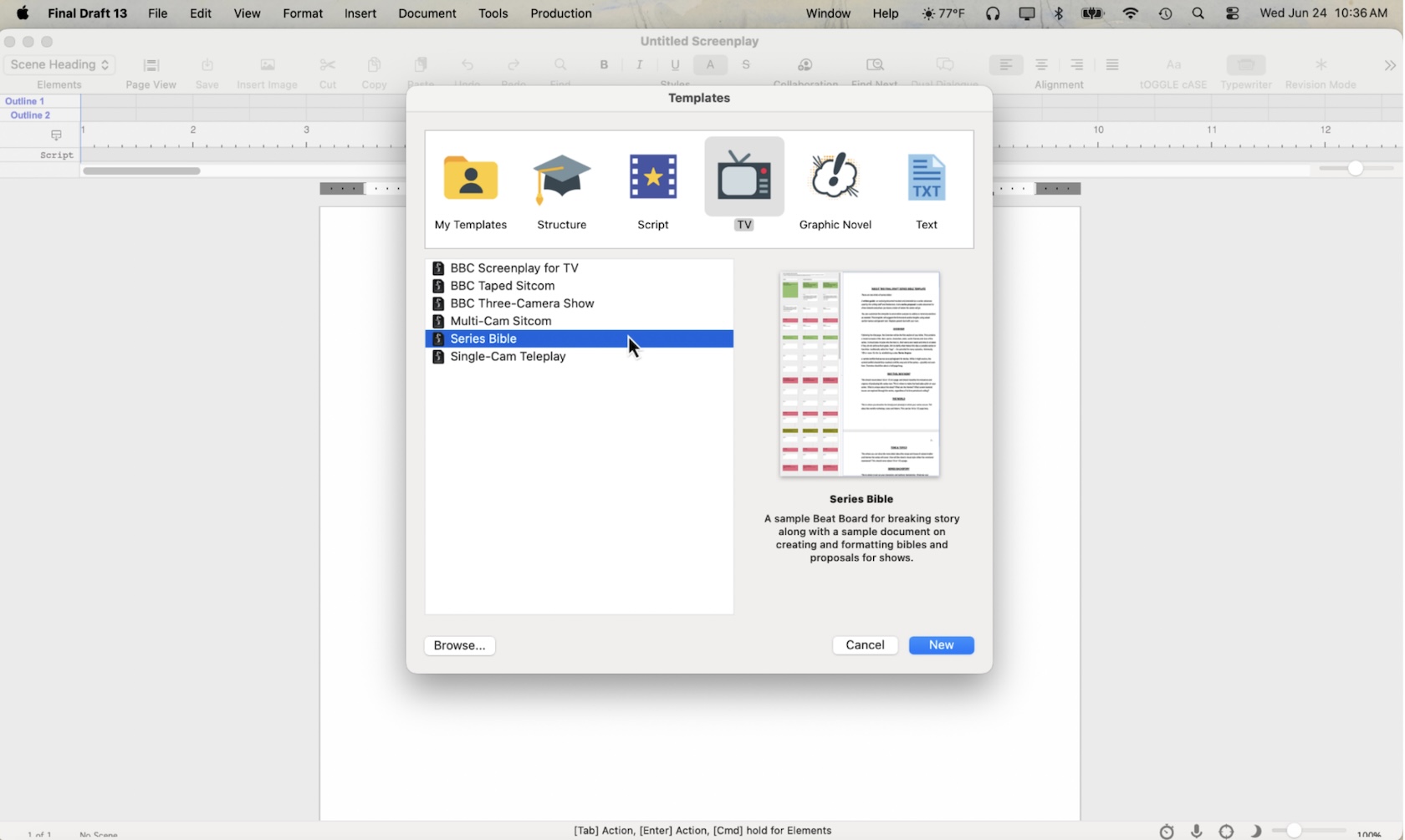
Final Draft’s Series Bible template is found under the TV category in its template library. To access it, go to File > New from Template, select TV from the categories at the top, and choose Series Bible from the list.
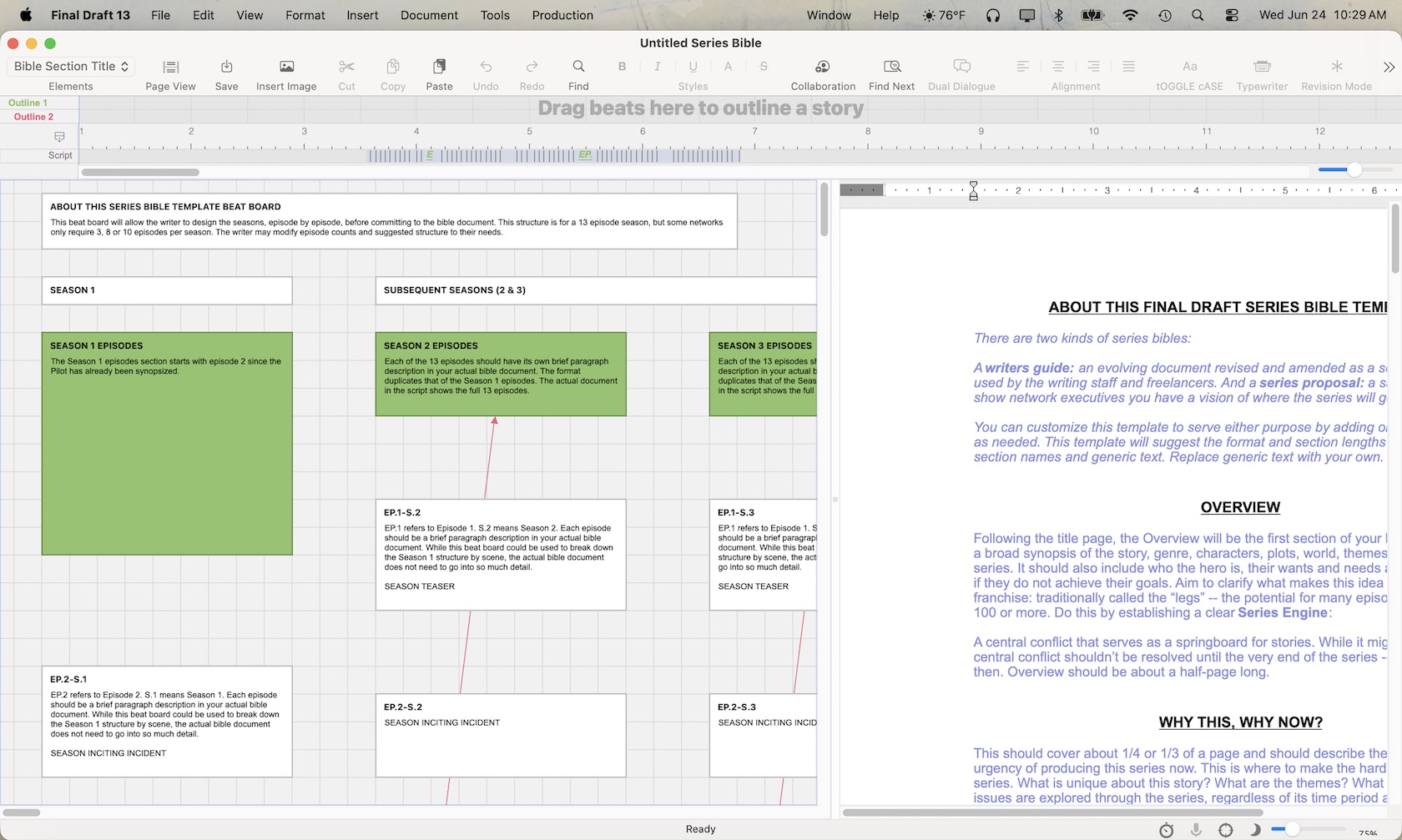
What opens is a fully structured document with pre-formatted sections: Overview, Why This Why Now, The World, Tone & Topics, Series Backstory, Where We Begin, Characters, Pilot synopsis, and episode outlines spanning five seasons. Each section includes instructional placeholder text that explains what belongs there and how long it should run. Building within this architecture, you replace the placeholder text with your writing, section by section.
A common mistake when writers first tackle a series bible is either under-building it (a few character descriptions and a vague pilot summary) or overbuilding it (a forty-page document that buries the concept in detail). The Series Bible template calibrates length for you: the Overview runs about half a page, the Why This Why Now section covers a third of a page, the Character section scales between one and three pages depending on ensemble size, etc.
The structure tells you not just what to include, but how much focus to give each element.
Breaking Story Across Seasons with the Beat Board
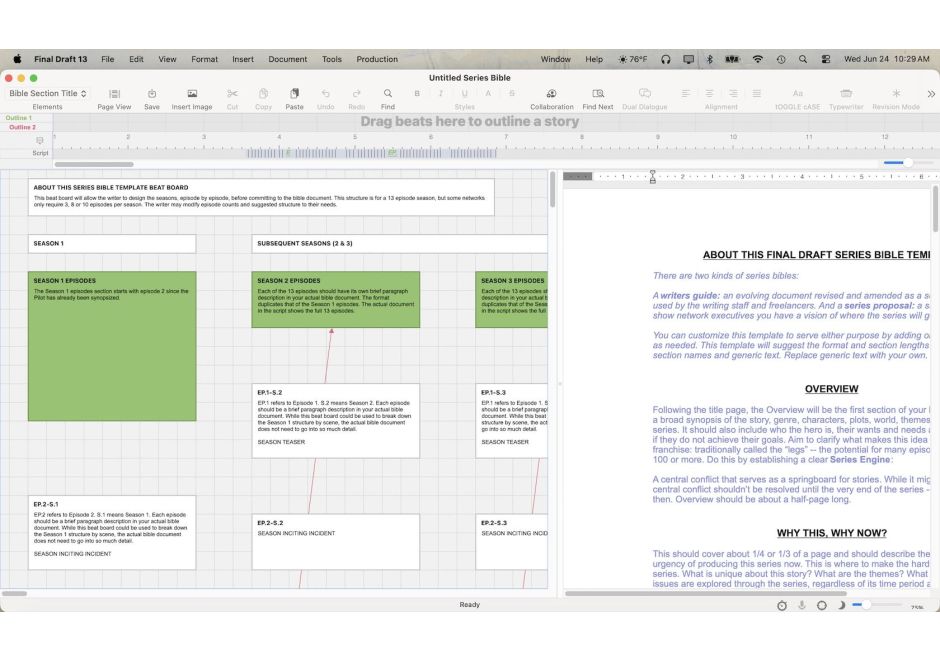
The Series Bible template opens with two views side by side: a Beat Board on the left and the bible document on the right. The Beat Board is the pre-writing workspace, and for a series bible, it’s where the real structural thinking happens before a word of the document is written.
The Beat Board included with the Series Bible template already contains a seasonal framework across three columns: Season 1, Seasons 2-3, and Seasons 4-5. Each column maps the narrative architecture of a 13-episode season, with color-coded structural markers (Act 1 Climax, Act 2, Mid-Season, Act 2 Climax, Act 3, Season Finale) and individual episode cards slotted between them. The color coding gives you an immediate visual read on where your season’s story beats land relative to each other across a season.
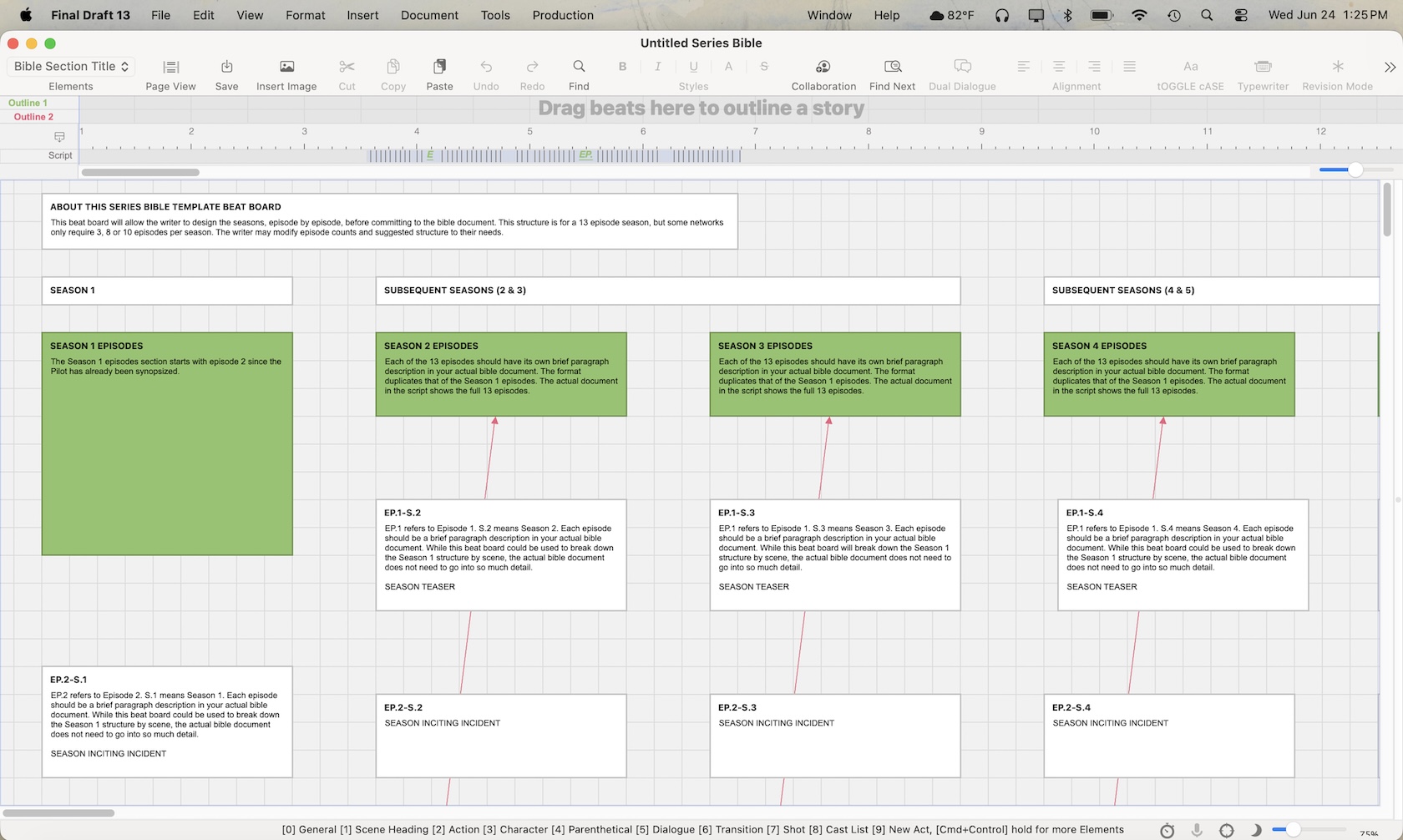
To use the Beat Board, click into an episode card and write a brief description of what happens in that episode. The structural anchor cards (Act 1 Climax, Mid-Season, etc.) are your narrative checkpoints. Once the Beat Board is full, you can drag beats from the board directly into the Outline Editor, where they attach to a specific page range. From there, they can be sent to the document itself.
The workflow runs: Beat Board to Outline Editor to Series Bible document. This way, you’re constructing the structural foundation first, then fleshing it out. That sequence keeps the big picture visible while you’re writing, which is exactly what series bible development requires.
Working Through the Document
Once your seasonal framework is created on the Beat Board, the document side of the template walks you through the bible section by section. Each heading is already there; you’re simply filling in the details.
The Overview comes first and is where you establish the series engine: the central conflict that drives stories across episodes without being resolved until the very end (if ever). Think of it as the show’s premise at an operational level. Be specific enough to convey tone and concept, broad enough to encompass multiple seasons. The Why This Why Now section is the hard pitch: what makes this series urgent, what it’s really about beneath the surface, and why a network or streamer should care about it right now.
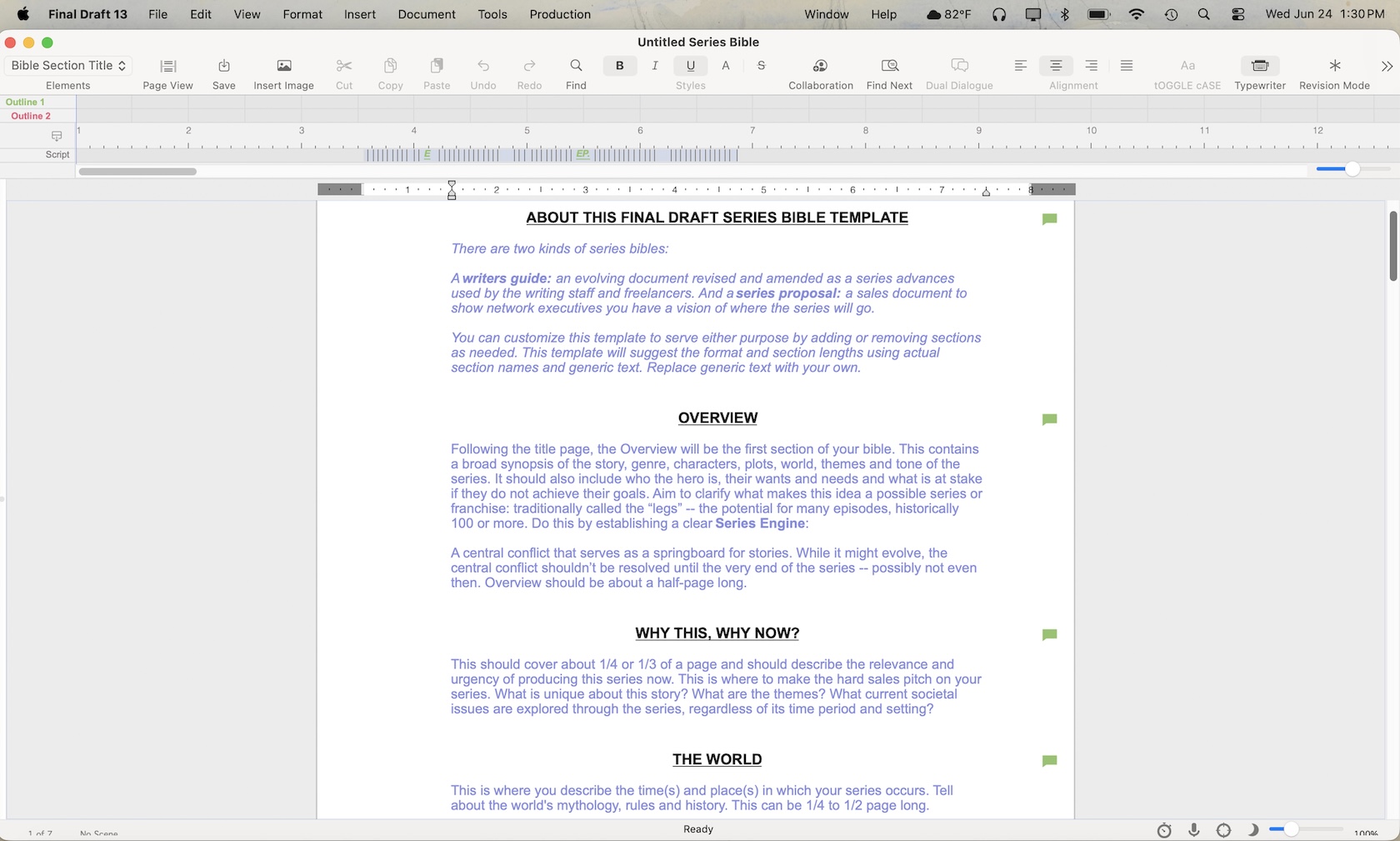
The World section is where you define the time and place of your series; not just as a location, but as an ecosystem with its own mythology, rules, and history. For example, the world of Severance is an office building, but the rules of that world (surgically divided work and personal memory) are what make every story inside it possible. Your world section should do the same work: make the reader feel the specific gravity of where your characters exist.
Tone & Topics covers the range of subject matter and themes the series will explore, as well as how the visual style will reinforce the show’s emotional register. Series Backstory establishes what your characters and settings bring to the story: their traits, their arcs, and the formative events that will shape future choices. Where We Begin describes the catalyst that precedes your pilot: the thing that sets everything in motion before your first scene begins.
The Character section is where most writers spend the most time, and the template gives guidance on what to address for each character: wants, needs, paradox, dilemma, emotional stakes, and how they feed the central conflict. The Pilot synopsis that follows is the one place in the document where you tell a specific story, including the inciting incident, emotional and external conflicts, and a hook that carries viewers into the next episode.
The episode outlines across five seasons are intentionally brief. Season 1 gets individual episode entries; subsequent seasons can work from arc summaries or episode-by-episode breakdowns, depending on how detailed you want your bible document to be.
An Industry Template For Your Show
Final Draft’s Series Bible template provides writers with a fully structured framework that covers every essential section: series overview, tone, world-building, character breakdowns, pilot synopsis, and multi-season episode outlines. Combined with the built-in Beat Board, Final Draft gives TV writers a complete development and pitch tool inside a single program.
Whether you’re writing a series proposal for network execs or building a guide for a writer’s room, the Series Bible template ensures your bible is organized, professional, and built to industry standards.
A combined blueprint and pitch document, it’s more than just a template.
It’s the first step to creating your own show.